
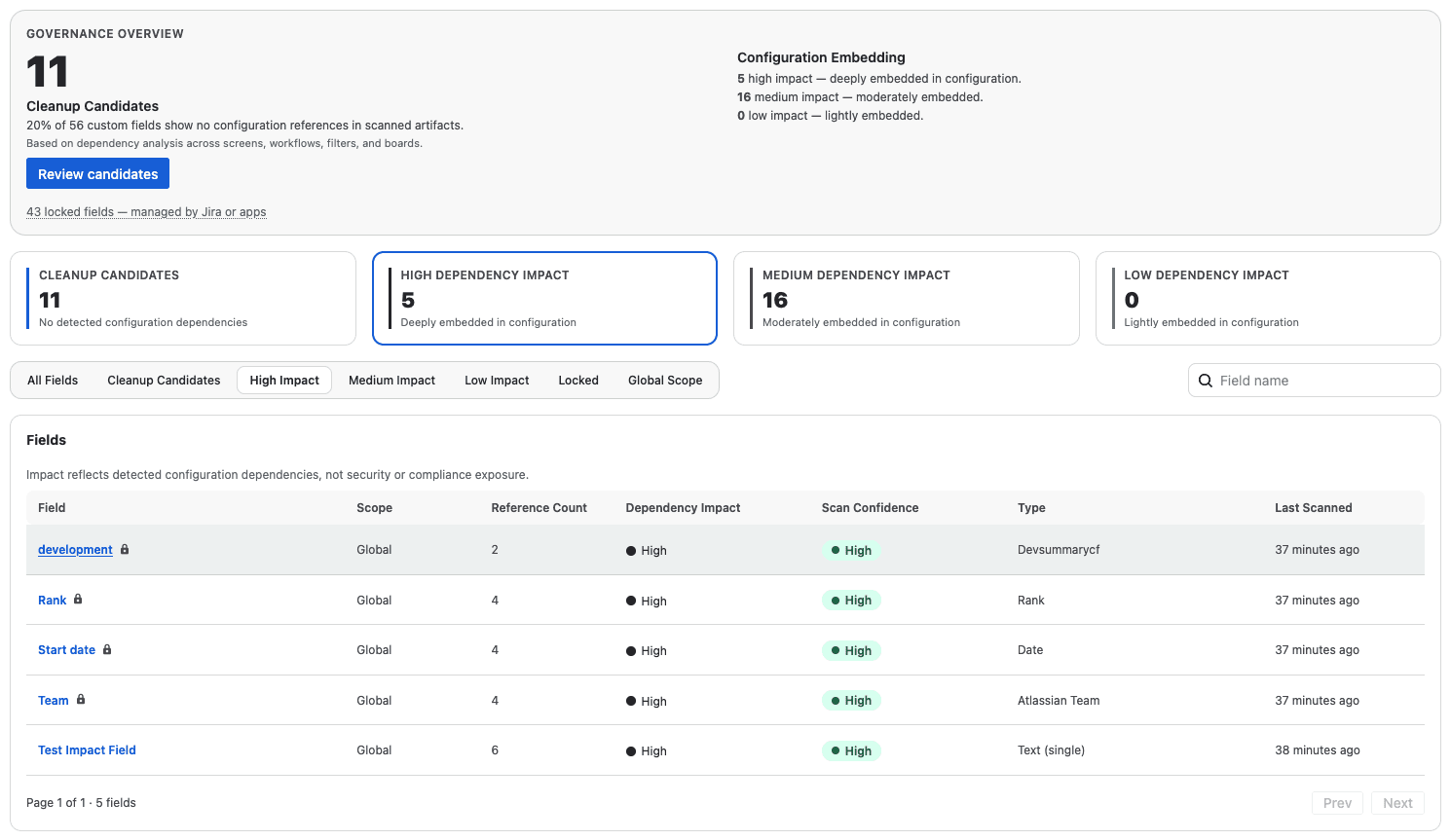
Why Jira Configuration Changes Become Risky
As Jira environments grow, configuration complexity increases dramatically. Fields, workflows, screens, and schemes become interconnected across projects, making even small changes risky.
Deleting or modifying a configuration element without understanding its usage can lead to broken workflows, missing data, and production disruptions.
For many administrators, answering simple questions becomes difficult:
Is this field still in use?
Which workflows reference this configuration?
What will break if I delete this?
How It Works
Step 1: Scan your Jira environment
The application analyzes configuration usage across projects, workflows, screens, and schemes.
Step 2: Identify Dependencies
Dependencies between configuration elements are surfaced so administrators understand the impact of potential changes.
Step 3: Make Changes With Confidence
Administrators gain the visibility needed to safely manage Jira environments at scale.
Core Capabilities

Configuration Visibility
Understand how fields, workflows, schemes, and permissions interact across your Jira environment. Jira Configuration Intelligence surfaces relationships and usage patterns so administrators can clearly see where configuration elements are used.
Safe Change Workflows
Analyze the impact of configuration changes before deleting or modifying elements. By identifying dependencies across projects and workflows, administrators can reduce the risk of breaking production environments.
Risk-Aware Insights
Identify unused fields, risky dependencies, and configuration complexity across projects. These insights help teams clean up legacy configurations and maintain a healthier Jira environment over time.
Built on Atlassian Forge
Jira Configuration Intelligence is built on Atlassian Forge and operates entirely within Atlassian’s secure infrastructure.
Customer data is never stored or processed outside the Atlassian ecosystem, ensuring alignment with Atlassian’s security and compliance standards.
Frequently Asked Questions About Jira Configuration Management
How can I find unused custom fields in Jira?
Jira does not provide a built-in way to analyze configuration usage across workflows, screens, and projects. Jira Configuration Intelligence scans your environment to identify where configuration elements are used so administrators can confidently clean up unused fields.
How can I safely delete Jira configuration elements?
Deleting configuration elements without understanding dependencies can break workflows or cause missing data. Jira Configuration Intelligence surfaces relationships between fields, workflows, screens, and schemes so administrators can understand the impact of changes before making them.
How do I see which workflows reference a Jira field?
Configuration elements in Jira often interact across multiple projects and workflows. The application analyzes configuration relationships to show where fields and other components are referenced.
Can I analyze Jira configuration dependencies across projects?
Yes. Jira Configuration Intelligence scans configuration usage across projects, workflows, screens, and schemes to surface dependencies that are otherwise difficult to identify manually.
Take Control of Your Jira Configuration
Gain the visibility needed to safely manage complex Jira environments.